Keeping With The Times

living, learning, and keeping with the times

  • Home
  • About
  • Site Information
  • Privacy Policy

How to Create a Project Gallery (and 5 Reasons You Should Have One)

March 10, 2014 by Barb 10 Comments

Today I want to talk about how to create a project gallery using the WP Gallery Custom Links plugin, and why you should use galleries.How to create a project gallery using WP Gallery Custom Links Plugin, Keeping With the Times, Blogging Bits and Bytes, WordPress

Many of us have some type of navigation system, typically situated at the top of our blogs in the form of tabs, or pages, etc.

There are also Archives, or Categories, or Search Functions, which are usually found in the sidebar. These are all fantastic tools to help your reader find what they are looking for.

A Project Gallery is simply another way to organize and promote your work, and is used for many of the same reasons as Archives, etc.

So why should you have a Project Gallery?

  1. Your best posts aren’t lost forever. You put a lot of work into them, why should they have only 15 minutes of fame?
  2. It gives readers a convenient visual tool, and people respond better to visual prompts.
  3. It keeps you organized.
  4. It’s not just for home projects or recipes. I also use it to organize Blogging Tips, Photoshop Tips, Word Art, and Photo Art.
  5. If done right, it adds a feeling of professionalism to a blog.

My blog is set up using the Genesis Framework and the Lifestyle Child Theme.

In a series of posts, I’m going to share how I created a Project Gallery (with drop-down capabilities) in WordPress using the WP Gallery Custom Links plugin. I am not a technical guru or an expert in WordPress, or the WP Gallery Custom Links plugin. This is based solely on my experience. Please take that under consideration before doing anything drastic to your blog!! Oh, and make sure to back up your blog before installing any new plugins!!

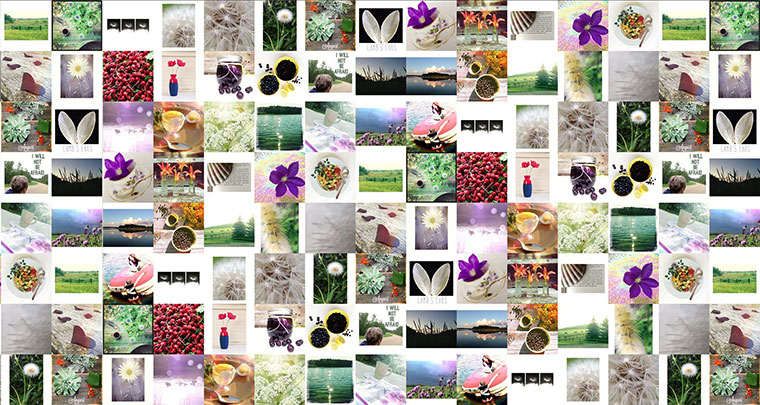
This is an example of what you can do with this plugin. You can put a Project Gallery anywhere (well, almost anywhere).

My Arizona Holiday (click on an image to be taken to that post)

Barrio Viejo Tucson
Doors of the Barrio Viejo
https://www.keepingwiththetimes.com/2014/02/theres-a-new-app-in-town.html
There’s a New App in Town
Doors of Tucson
Doors of Tucson
Butterfly Wonderland
Cactus, Arizona
10 Things I Love about Arizona

So that concludes Day 1 of my series on Creating a Project Gallery.

Please come back on Wednesday, where I’ll go over my thoughts on InLinkz vs. this plugin. At the moment I’m using both systems, but I’m slowly drawing away from InLinkz and I’ll tell you why. BTW, I think InLinkz is a fantastic tool, I’m just ready to move on.

In the meantime, back up your blog!!!! I can’t stress that enough. It’s just good practice.

How to Create a Project Gallery Part II

Filed Under: BLOGGING BITS AND BYTES Tagged With: blogging, Tutorial, wordpress

Google+ and AutoAwesome

December 16, 2013 by Barb 6 Comments

This is so fun!

Google is adding an extra sparkle to photos posted on Google+ and look what they did to my rosemary tree!

Filed Under: BLOGGING BITS AND BYTES Tagged With: blogging, google+

A Look At Popular Cloud Storage Providers

December 11, 2013 by Barb 12 Comments

How do you protect your files? It’s something I think about all the time, and I kind of need to get up to speed on the latest and greatest. As a matter of fact, I just backed up my blog to my computer and the file is almost 500 MB!! I need to guard it with my life!

So today, I bring you this informative and interesting guest post by Kyle Mercer written exclusively for my readers!

Cloud_12

It seems that in the past few years, cloud storage has shifted from being a new, trendy technological concept to a widely implemented tool used by companies across the board. We hear more about cloud storage just about every day and for those who haven’t “dived in” yet, the specifics can be a bit confusing.

The basic concept, actually, is rather simple: Essentially, cloud storage allows you to save digital data on your “cloud,” rather than on a specific device such as an iPhone, desktop computer, tablet, etc… And the benefits of doing so are numerous: Your data is accessible from any device with an internet connection (just log into your cloud account); your saved files are safe from technical errors (or loss or theft) that can occur with devices; and you will enjoy more digital storage space. Naturally these perks can be handy for innumerable practices, businesses, and hobbies including digital photography.

But where it gets trickier for those starting off in cloud computing is picking a specific provider. There are now a number of very capable mainstream providers on the market, each offering some unique features and benefits. So to help in your decision-making process, here’s a brief comparison of some of the top cloud providers.

Dropbox

Arguably the biggest name in cloud storage, Dropbox is seen as a very simple, easy option for individual or small group use. The free package gets you 2 GB of storage space, and people love the user-friendly system that includes a handy mobile app and the unlimited file size uploading ability. You can get more storage at various pricing levels.

iCloud

The cloud that comes with new Apple products is very simple, but very handy. Basically, it’s built-in cloud storage on your Apple computer, tablet, phone, etc…, and it offers 5 GB of storage with no additional priced options.

Citrix Sharefile

In some ways a more advanced option, Sharefile is typically meant more for business environments than personal use. That being said, it can definitely be useful for your own small business. There is no free option offered. Instead, for $30/month, you can set up two users with 5 GB of total storage space and there are higher-tiered options beyond this starting point. The benefits of Sharefile are in its top-of-the-line security and organization.

Google Drive

To some extent, this is Google’s version of iCloud. The Google Drive offers 5 GB of free storage space, though it does have paid options for more storage. The main perk of Google Drive resides in its organization and integration with existing contacts lists, calendars, etc…, for those who tend to use Google products and programs.

Ultimately, these are just a few of many options that exist to satisfy your cloud needs and desires. But with the concept of cloud computing becoming an everyday reality, it only makes sense to get comfortable with one that sounds like a good fit for your use.

This is a guest post by Kyle Mercer. Kyle is a freelance writer and tech enthusiast who frequently covers new releases in gadgets, software and programs.


Filed Under: BLOGGING BITS AND BYTES, WORK WITH ME Tagged With: blogging, guest post

Have you Thought About a Business Card?

December 5, 2013 by Barb 11 Comments

You might remember that earlier in the year I attended “Blissdom“, a blogging conference in Toronto, Ontario.

One of the things I was advised to do before I went was to get a business card ready. Uh, oh… this was going to cut into my clothes and boot shopping time…

Nevertheless, because I love designing things, I set about to design my very own business card. The first and biggest hurdle was that I had to stop and think hard about what my blog was about. I decided that I had to come up with three words that would best define Keeping With The Times, without boxing myself into a corner. In the past I’ve written posts despairing about the fact that my blog seemed to be all over the place. Some days I act like a food blogger, some days I act like a diy and home decor blogger, and some days I act like a photography blogger, and then I’m an art blogger, and on and on…

So, after much thought and discussions with my trusted advisor (hubby), I came up with “photography, homemaking, and life”.

I don’t claim to be an expert in any of these areas, but I am passionate about them, and always strive to do my best in each area.

KWTT-Business-Card-Example

I was advised to make sure to put all of my contact info on the back, such as my name, e-mail, Twitter handle, etc. As you can see here, I didn’t listen… but do as I say, not as I do…

KWTT-Business-Card1125x675-back-copy

Now, you may think you don’t need a business card, but I beg to differ. It’s a great tool to get the word out, and to help people remember you. I gave out dozens at the conference, and I received dozens – all of which I kept and have referred to on many occasions.

I’ve also handed them to my friends who give me a blank look when I tell them that I blog… so frustrating…

I used Costco to print mine and I was pretty happy with the results, but a couple of other places you could try are YouPrint, or Moo.com.

I really do believe that by having a business card, you will be able to promote yourself so much better, plus it’s just kind of fun to have something tangible with your blog’s name on it.

You put a lot of time and effort into your blog (I just know it), and it’s a gentle reminder that may bring new visitors to your site.

Thanks for stopping by, and have a wonderful day!


Filed Under: BLOGGING BITS AND BYTES Tagged With: blissdom canada, blogging

Veni, Vidi, Vici

October 12, 2013 by Barb 28 Comments

I came, I saw, I conquered!
Headshotsday2-12

Headshotsday2-11

…that would be my fear I conquered.

I went to Blissdom Canada and I survived. I’m gonna tell you right now, I was a good 15 – 25 years older than the majority of the over 400 attendees. In fact, I could probably count on both hands the people that were my age (and most of those were speakers). I truly enjoyed it all. Everyone was beyond friendly and helpful, and the conference was first class.

Here’s how it went…

I did not get lost on the way there. I wrote about that fear in my earlier I’m Scared post. Really, all I had to do was take a flight to Toronto, find my luggage, call a cab, and check into the hotel (ha! but yes, I was scared).

Have I mentioned that I met up with my daughter, Jo-Anna? She blogs at A Pretty Life in the Suburbs. It was the highlight of my experience to be able to spend time with her and watch as she navigated her way through the conference. She knows her stuff and is an inspiration to everyone who meets her.

She is also an extremely forgiving roommate. It’s quite possible that I snore. Add to that the fact that I picked up a nasty cold… and nasty cold plus snorer = well, you can imagine…

I rode my daughter’s coattails the whole time. We ate together, attended sessions together, and went to a couple cocktail hours together. I disappeared to my room to avoid the parties, but other than that I didn’t miss much.

Every day I was in awe as I listened to all these young women as they discussed working with brands, choosing advertising companies, and writing sponsored posts. They have created a business from their blog, and they want to grow it. Blogging is big, and companies are noticing.

For the hands-on workshop, I choose to participate in “Creative BIG storming” with Marilyn Barefoot. A bit out of my comfort zone, but that was the whole idea. Take a totally random image or word, and by association, come up with as many new ideas as possible. Nothing was too crazy. Write them down.

I enjoyed the inspirational speakers, I laughed and I cried (really) at their words, and came away with a renewed sense of what my blog is about.

So here’s the truth:

  • Just thinking about working with ad agencies and brands exhausts me.
  • Sponsored posts are fun, to a degree. When I write a sponsored post, it has to be about something I like, and something that I believe in. However, I don’t expect to be inundated with offers any time soon…
  • Social media is king. If you want to attract advertisers or sponsors, you have to have a large reach with Twitter, Facebook and Pinterest. For some reason, G+ was not even mentioned (I was a bit disappointed in that).
  • Twitter is like a tunnel (think Alice in Wonderland) but I am proud to say I’m experimenting with it (learn something new…). During sessions and while people were speaking, everyone was tweeting constantly (about whatever the subject was at the time). This was encouraged, and the tweets would show up on a big screen at the front of the room… all new to me. I have to admit, I had a hard time following it all.
  • At times I felt invisible (to brands). No offence to anyone… this was a conference aimed at young entrepreneurs, and I knew it. It did not diminish my sense of self-worth at all.
  • Quite simply, I just like to take photographs and write about them.
  • I know who my tribe is (and you know who you are).

And now, about the photos…

Blissdom Canada had employed a lovely photographer by the name of Anna Epp to take portraits. I thought, what the heck, and went for it. Whenever else would I be wearing a jacket?

Bless her soul; she managed to clean me up a bit while still keeping it real!


Filed Under: BLOGGING BITS AND BYTES Tagged With: blissdom canada, blogging

Embed a Post from Google +

September 10, 2013 by Barb 3 Comments

You can now embed a post from Google+ into your blog! How fun is that!?

Several days ago, I created this post in Google about my pretty little Maple Leaf Dictionary Page Wreath. To embed it here, I simply clicked on the drop-down arrow in the upper right corner, chose “Embed Post”, copied the code, and pasted it into my blog! It doesn’t display until you preview, or publish your blog post (I was a bit baffled at first because I thought it wasn’t working). *NOTE: after publishing my post, I can see that there is no image showing in Feedly. From what I can tell, that is because the embedded posts are not really on your blog. Next time, I would upload an image first, then publish it (live and learn).


Here’s one of my daughter’s posts:

Too fun! And by the way, this fruit dip is “to die for”… I had to laugh when she said you are going to need a shovel to eat it!

Anyway, this is the “something new” that I learned today. Hope you find it as exciting as I did :)

Filed Under: BLOGGING BITS AND BYTES Tagged With: google+

InstaBG for Twitter and Google+

September 4, 2013 by Barb 7 Comments

Google-Plus-Cover-Template-Keeping-With-The-Times

Caution! geek post alert!

I discovered this neat site, InstaBG that generates a cool image of an Instagram feed. It’s so simple to create, I just signed in with my Twitter account, and let InstBG access my images in Instagram. Seconds later, I had a snapshot to use as my background. How cool is that?! I first saw it on my daughter’s Twitter page, and I knew I needed to have one too!

Well, I took it one step further and I am also using it as my Google+ header. Many of you will know that the Google+ header is ginormous, so ginormous, that at first I decided not to put anything on it… until now. This background works because the images are so tiny, and it kind of balances the ginormity of it all… is that even a word?

Next, I went on to optimize my Google+ header, following this great advice from Ann Drake at On Sutton Place. Make sure you scroll down and read comment #8 by Stephan Hovnanian, before you decide on what to name your header. He hadn’t left that comment when I was naming my header, or I might have done it differently. I’m not going to bother now, sometimes, things are better just left the way they are.

Have a wonderful Wednesday!


Filed Under: BLOGGING BITS AND BYTES Tagged With: blogging, google+

5 Things I Learned When I Moved my Blog

August 25, 2013 by Barb 9 Comments

This post is simply about some of my experiences when I moved from Blogger to my own dot com, and started using WordPress.

The Layout

  • At a whopping 1400 pixels wide, a blog is very difficult to read on a laptop.
  • My new WordPress layout is 1200 pixels wide, and I have it from a trusted source (hubby) that that alone improved my blog 100%. Not so overwhelming, and no more scrolling from left to right.

The Photos

  • The maximum width for my photos is 760 pixels.
  • The maximum height should be no more than 760 pixels. At that height, people may still have to scroll up to see the top of a photo, and scroll down to see the bottom of it, but I am partial to a square format so there’s not much I can do about that. Whenever I add a photo that is more than 760 pixels in height, I know it’s not going to display as well (the scroll down factor). And yes, I still do it (naughty)! Here’s a prime example of a really bad one: “Follow Your Art“.

Speaking of Photos

  • All photos should be re-sized and saved for the web. The result is that a blog loads faster, and potential readers might not flee after 30 seconds of waiting. If you don’t know how to do this, check out my Photoshop Tips.
re-size for web

760px x 509 px at 72ppi, saved for web

Do Not Delete Your Old Blog

  • When a blog is transferred, the photos stay exactly where they are. In my case, I was with Blogger, and therefore, all my photos stayed with Picassa. The images are simply re-directed.
  • After the move, all images uploaded to my dot com are now on the server, and are under my control (not Picassa’s). I’m slowly re-doing old posts and uploading new photos to my site (not necessary, but I want it that way).

Get Help

  • I had Kristi, from Linaur Designs move my blog for me. I could not have done it myself, since I was in a big enough tizzy at the time. Kristi charges for WordPress coaching after the move, but I ‘m exploring and learning at my own pace, and it doesn’t seem so overwhelming.

My World Did Not End When I Lost My Google Friend Connect

  • Heresy to some, I’m sure… and yes, I was choked at first. I had worked hard to gain my followers and respected them all so much that it felt like a betrayal. But life goes on, and I didn’t fall off everyone’s radar.
  • I’m happy with my stats (Google Analytics), and my following is growing. I now use Feedly to read blogs and honestly, I like it better than Google Reader.
  • There are other ways to connect… more on that later.

Please don’t get me wrong – I am not making light of losing my Google Friend Connect. I am also not by any means recommending it, but when I made the decision to move to my own dot com, I accepted it, and moved on. It’s what worked for me, and I’m quite happy with where I am now.

Thanks for visiting today, and I hope you are having a wonderful weekend!

Filed Under: BLOGGING BITS AND BYTES Tagged With: blogging

Google Reader on the Way Out!

March 14, 2013 by Barb 6 Comments

Have you heard? Can you believe it? It just never ends… I’ve been having fits because my feed was not showing up in Google Reader and now they are abandoning it anyway.

Do I hear a collective “arrghhh” out there?

Well, my lovely daughter at A Pretty Life keeps me on top of everything and that’s where I first found out this was coming down the pipe. Apparently Google Reader is going to be gone by July, yes this July. I guess you could call that advance notice.

My lovely daughter also suggested a solution that I might want to try, and that is to start using Feedly. I tried it this morning and it seems to have worked like a charm! With a few clicks it pulled all my subscriptions from Reader into Feedly and this is what I see:


google reader, feedly,

So far I’m pretty impressed. It literally took seconds and everyone is still there!

I haven’t figured it all out yet but I was so excited I wanted to share.

Check out this Feedly article for yourself and see what you think.

Bloggers UNITE!


Filed Under: BLOGGING BITS AND BYTES Tagged With: blogging, feedly

A Helpful Little Blogging Tip

February 20, 2013 by Barb 21 Comments

squirrel1

A little visitor at our bird feeder yesterday.

The other day I was looking through Google Reader and saw a post by fellow blogger, Jennifer at Town & Country Living. She  had recently moved her blog to WordPress and knew that she wasn’t showing up in people’s blog rolls as a result (and I know that for sure because I hadn’t seen her for a while). You see, for some of us, when we move to WordPress – our followers from Google Friend Connect can’t see our feeds any more (so sad…)

Then how could I have seen her post, you may ask…

She had simply gone back to her Blogger dashboard and published a post from there! I just about fell off my chair… you mean you can do that? I thought “how brilliant”!

I immediately went to her WordPress blog and left a comment about how I had found her, and then I re-subscribed to her new feed.

We had a little discussion and she encouraged me to try it for myself. Since she had been subscribed to my old Blogger blog, she said she should be able to see it.

I signed into my old account, wrote a post about how I had moved my blog to WordPress, where to find me at my new address – www.keepingwiththetimes.com and published it. And guess what? she could see it – plain as day! Eureka!! Since then I’ve had several friends visit me and tell me that they had been wondering where I went and were glad to have found their way back.

So for the next few months I’m going to have to publish the odd post to Blogger to remind people that I haven’t dropped off the edge of the earth – I’m simply at a new address and to please, please come see me.

If you’ve moved your blog from Blogger – perhaps this little tip is just what you were looking for! If something I wrote here isn’t clear –  please give me a shout and I will try to answer your questions!


Filed Under: BLOGGING BITS AND BYTES Tagged With: blogging, wordpress

« Previous Page

Welcome! I'm Barb, and this is where I practice my mantra to "learn something new, try something different". It's my hope that something I do here may inspire you! Read More…

Categories

Archives

Copyright 2020 * Keeping with the Times * All rights reserved.